
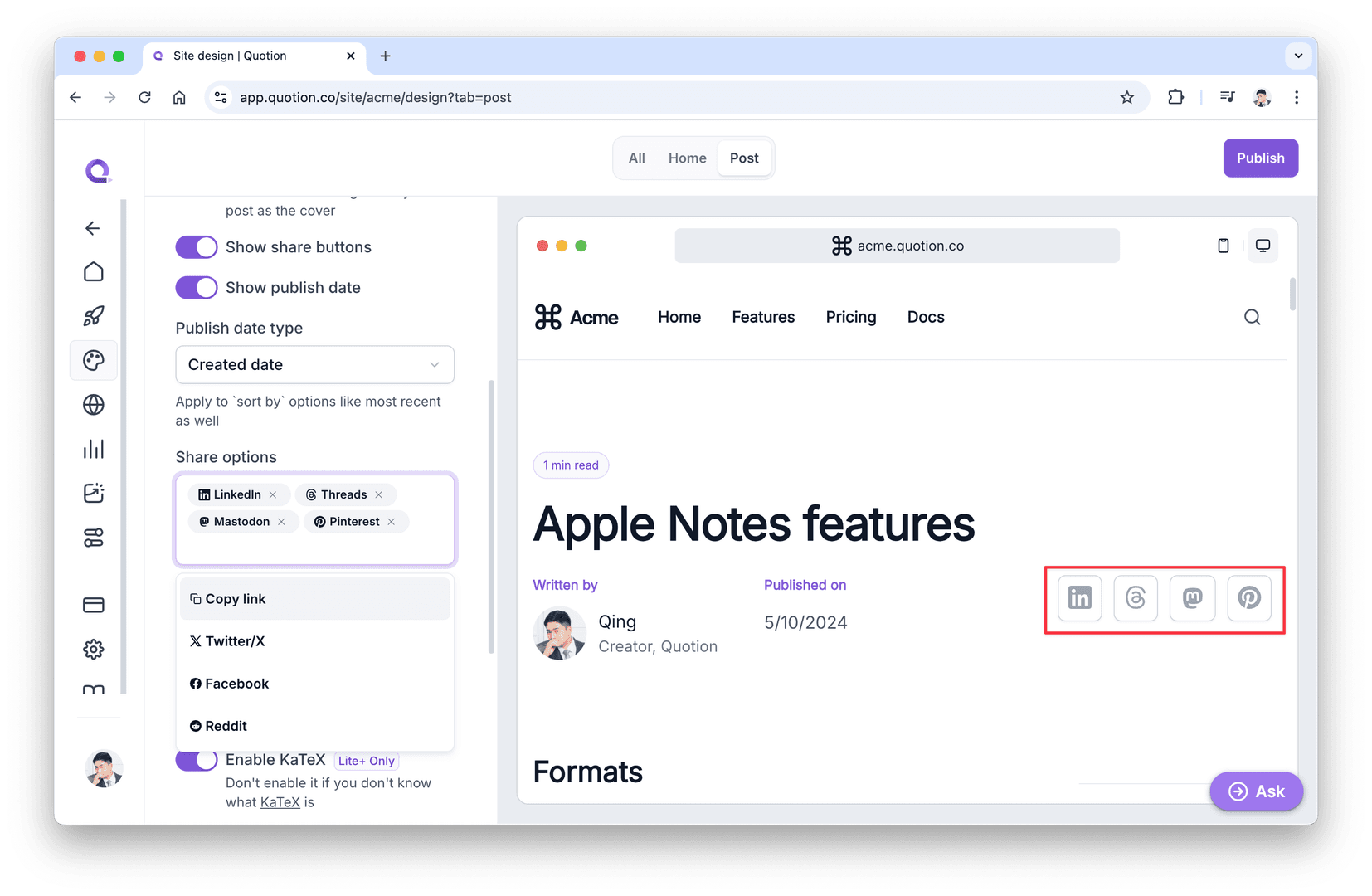
Great news! You can now customize your site's share options!
Previously, we had 4 fixed share options (Copy link, X, Facebook, and LinkedIn), which you could only hide or show all together. With our new share options feature, you can now select which specific options to display on your blog posts.
New options
We have added 4 new options:
- Threads- Mastodon- Reddit- Pinterest
Show share buttons toggle has been replaced
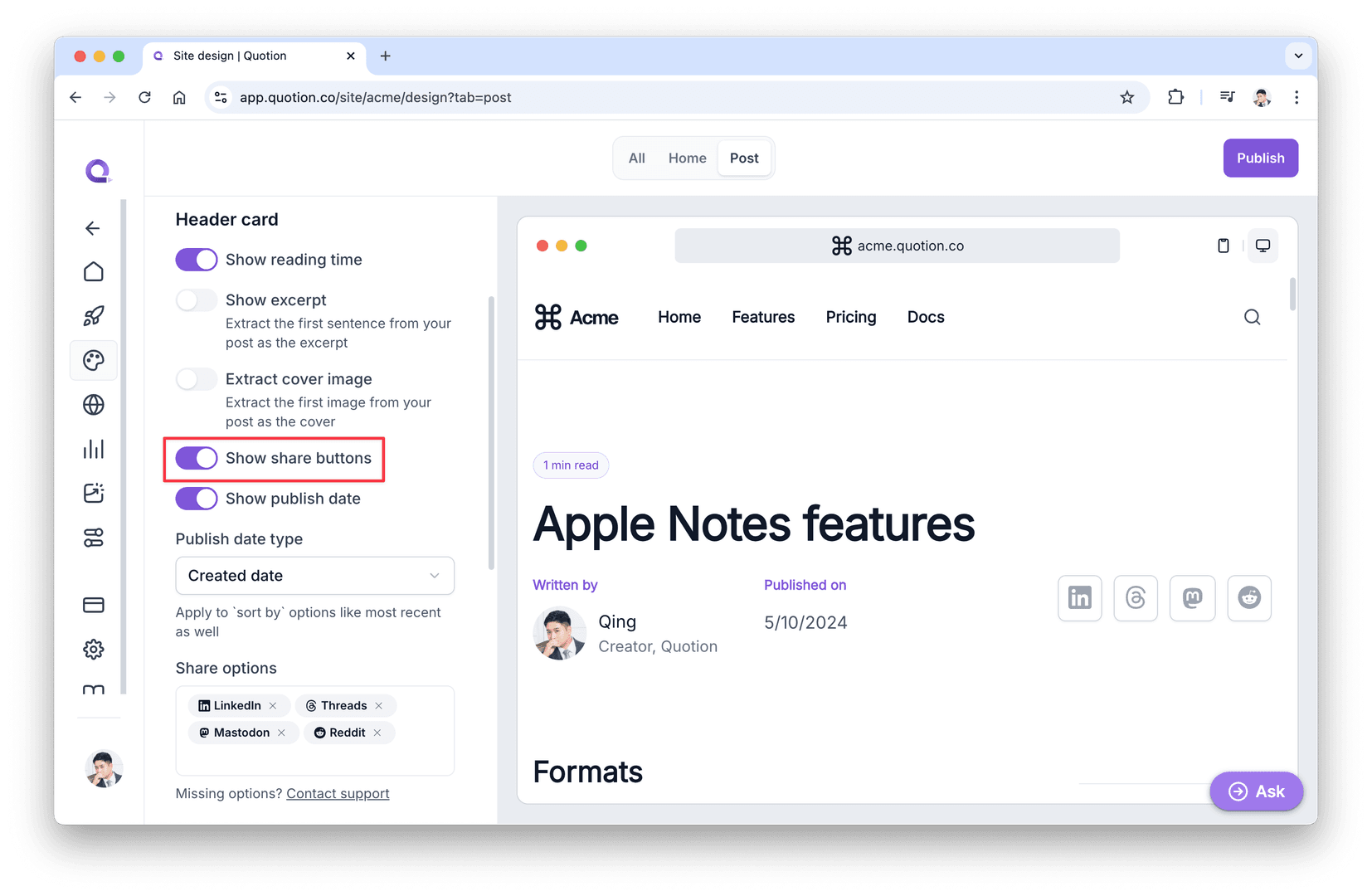
With the addition of these new options, there's no longer a need for the Show share buttons toggle. If you remove all share options, it effectively achieves the same result as turning off Show share buttons.
Don't worry if you previously had Show share buttons turned off. We've automatically converted your settings to the new share options. Your posts will look the same as before – no changes required on your end!
Need more share options?
If you're looking for share options that aren't listed here, feel free to send an email to our support team. We're always open to suggestions for improvement!
Create your blogs directly from Apple Notes.
Say goodbye to complex CMS updates and management issues!
You focus on creating quality content while Quotion takes care of the rest.
Subscribe to Quotion
Get the latest posts delivered to your inbox. No spam, unsubscribe anytime.
Latest
More from the site
Qing
ProductUpdate
Post visibility and search engine indexing controls
#ProductUpdate We're excited to introduce new features that give you more control over your posts! Post visibility Control whether posts appear in your site's content listing while remaining accessibl
Read post
Qing
ProductUpdate
Post scheduling and published date editing
#ProductUpdate We’re excited to announce 2 new features: you can now schedule posts to go live at a specific time and edit the published date of your posts! How to schedule a Post Need to announce som
Read post
Qing
ProductUpdate
Layout editor
#ProductUpdate 🔥 I'm so excited to announce that the layout editor is live now. You can easily edit your site layout inside the design page, home note is no longer needed! All home note functionalit
Read post