
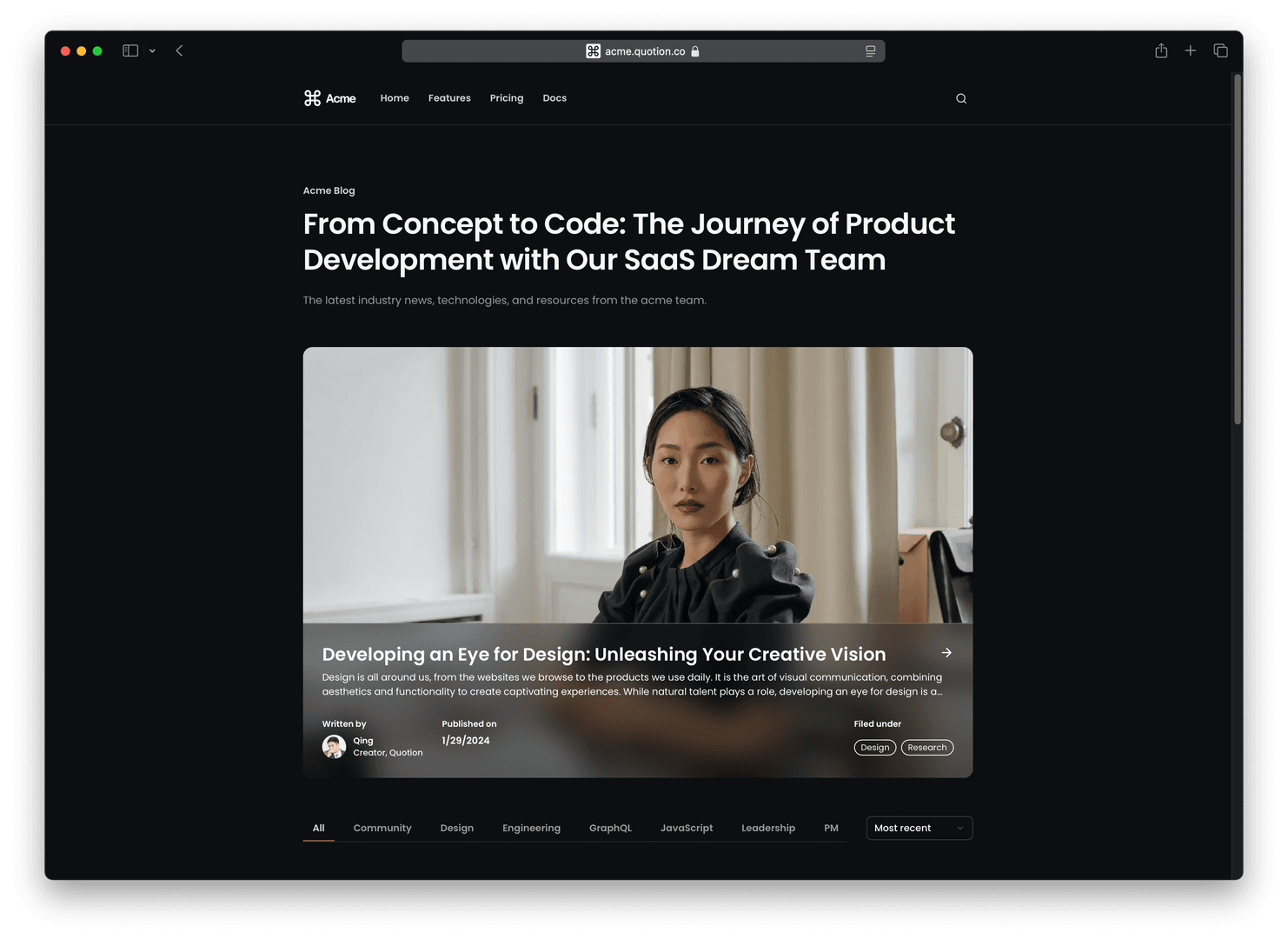
We're excited to announce the launch of themes for Quotion sites. Now you can create a stunning dark-themed site with just a few clicks.
New theme selector
We've added a new theme selector to the Design page, offering two options:
- Modern (default light theme)
- Dracula (new dark theme)
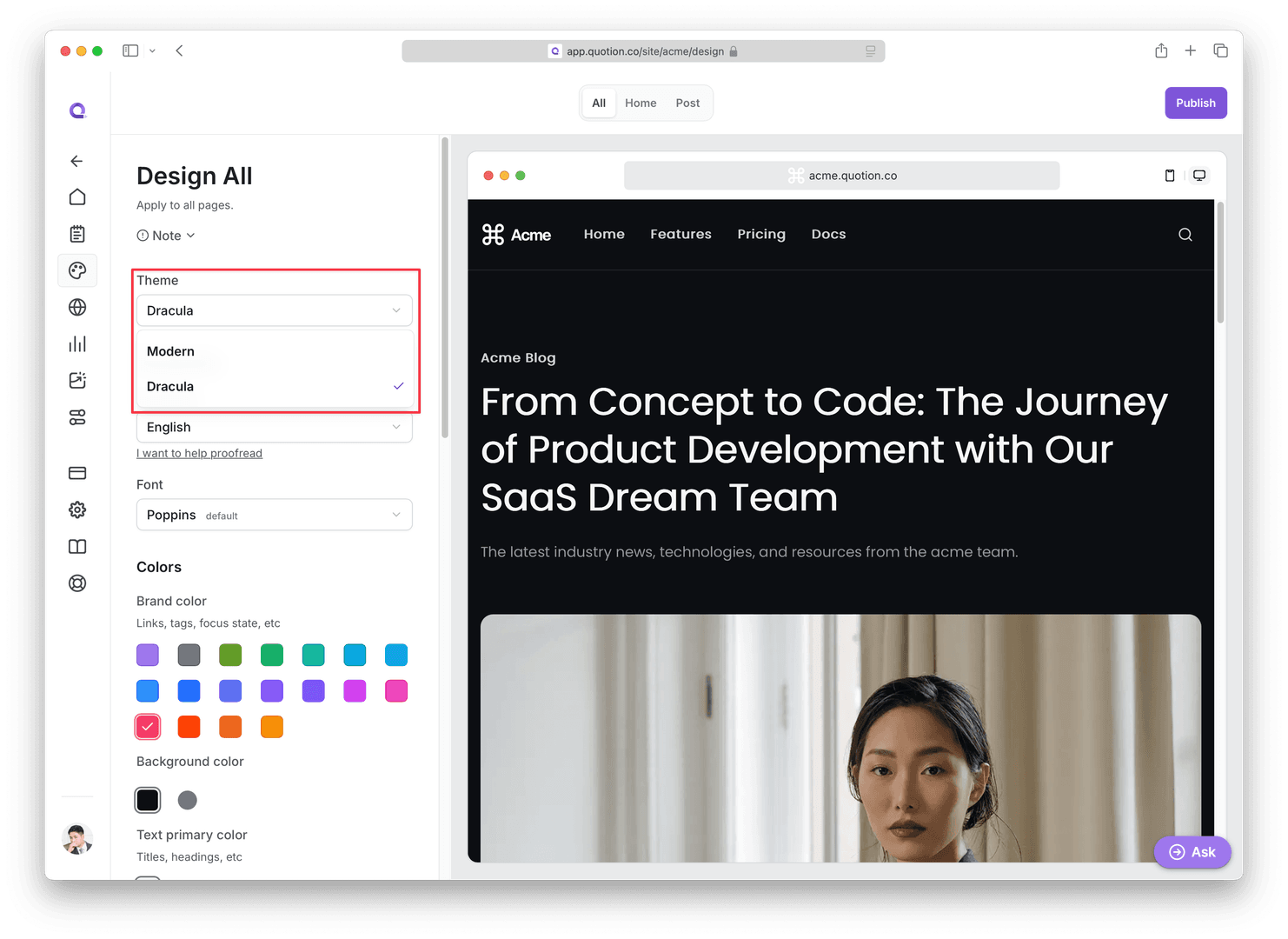
The Dracula theme
Dracula is our first carefully crafted dark theme, designed with professionals in mind.
We've carefully selected background, text, and border colors, as well as fonts, to create a sleek and sophisticated dark experience.
If you're looking to build a dark-themed site, Dracula is an excellent starting point.
7 new color controls
This update introduces 7 new color controls, allowing for greater customization:
- Text primary color (title, headings)- Text secondary color (header link, secondary button)- Text tertiary color (body text, card description)- Text quaternary color (copyright, inactive tab text)- Border primary color (dropdown)- Border secondary color (header, divider)- Background secondary color (footer, active pagination button)
Demo video
Under the hood
While we've exposed 7 new color controls, the Dracula theme actually incorporates many more optimized colors behind the scenes. This approach simplifies the customization process while still providing a cohesive dark theme experience.
For those choosing the Modern theme as a starting point for a dark site, please note that you may need to adjust more colors manually to achieve the desired effect.
For professional designers
If you're a professional designer seeking full color customization, here's the complete color palette used in the Dracula theme:
* {
  /* rgb */
  --gray-25: 250 250 250;
  --gray-50: 247 247 247;
  --gray-100: 240 240 241;
  --gray-200: 236 236 237;
  --gray-300: 206 207 210;
  --gray-400: 148 151 156;
  --gray-500: 133 136 142;
  --gray-600: 97 101 108;
  --gray-700: 55 58 65;
  --gray-800: 34 38 47;
  --gray-900: 19 22 27;
  --gray-950: 12 14 18;

  --text-primary: var(--gray-50);
  --text-secondary: var(--gray-300);
  --text-secondary-hover: var(--gray-200);
  --text-tertiary: var(--gray-400);
  --text-tertiary-hover: var(--gray-300);
  --text-quaternary: var(--gray-400);
  --text-placeholder: var(--gray-400);
  --text-brand-secondary: var(--gray-300);
  --text-brand-tertiary: var(--gray-400);

  --bg-primary: var(--gray-950);
  --bg-primary-hover: var(--gray-800);
  --bg-secondary: var(--gray-900);
  --bg-secondary-hover: var(--gray-800);
  --bg-quaternary: var(--gray-700);
  --bg-brand-primary: var(--brand-500);
  --bg-brand-secondary: var(--brand-600);
  --bg-active: var(--gray-800);

  --border-primary: var(--gray-700);
  --border-secondary: var(--gray-800);
}
Feel free to customize these values to suit your needs, just copy and paste the CSS into the Design =>All => Custom CSS text box and preview changes. Once you're satisfied with your changes, just publish it to make it work on your live site.
We're excited to see how you'll use these new theming capabilities to create unique and engaging Quotion sites!