A note from the founder
Introducing Layerwise, my second product
After helping you publish your ideas with Quotion, I built a way to turn those ideas into working apps.
By Qing Wang ·
Hi, I’m Qing, the founder of Quotion. Today I’m introducing my second product, Layerwise, a desktop AI app builder for creating and publishing full-stack web apps.
With Quotion, I wanted to make publishing feel as familiar as writing in Apple Notes. Layerwise brings that same ambition to building software. You describe the app you want, work with an AI coding agent, and see it running on your computer. When it is ready, you can publish it with a database, sign-in, file storage, and email already connected.
Why I built an AI app builder after Quotion
Publishing an idea and making it useful are closely connected. A writer might want a tool that goes with a guide. A consultant might need a client portal. A small team might have a process that would work better as its own app.
I wanted to make that next step easier. Getting the first screen working is one part of it. The app also needs to save information, recognize its users, and run at an address other people can open. After launch, you need to see how it is being used and investigate problems. I built Layerwise around that whole workflow.
Describe an app, then try it as you build
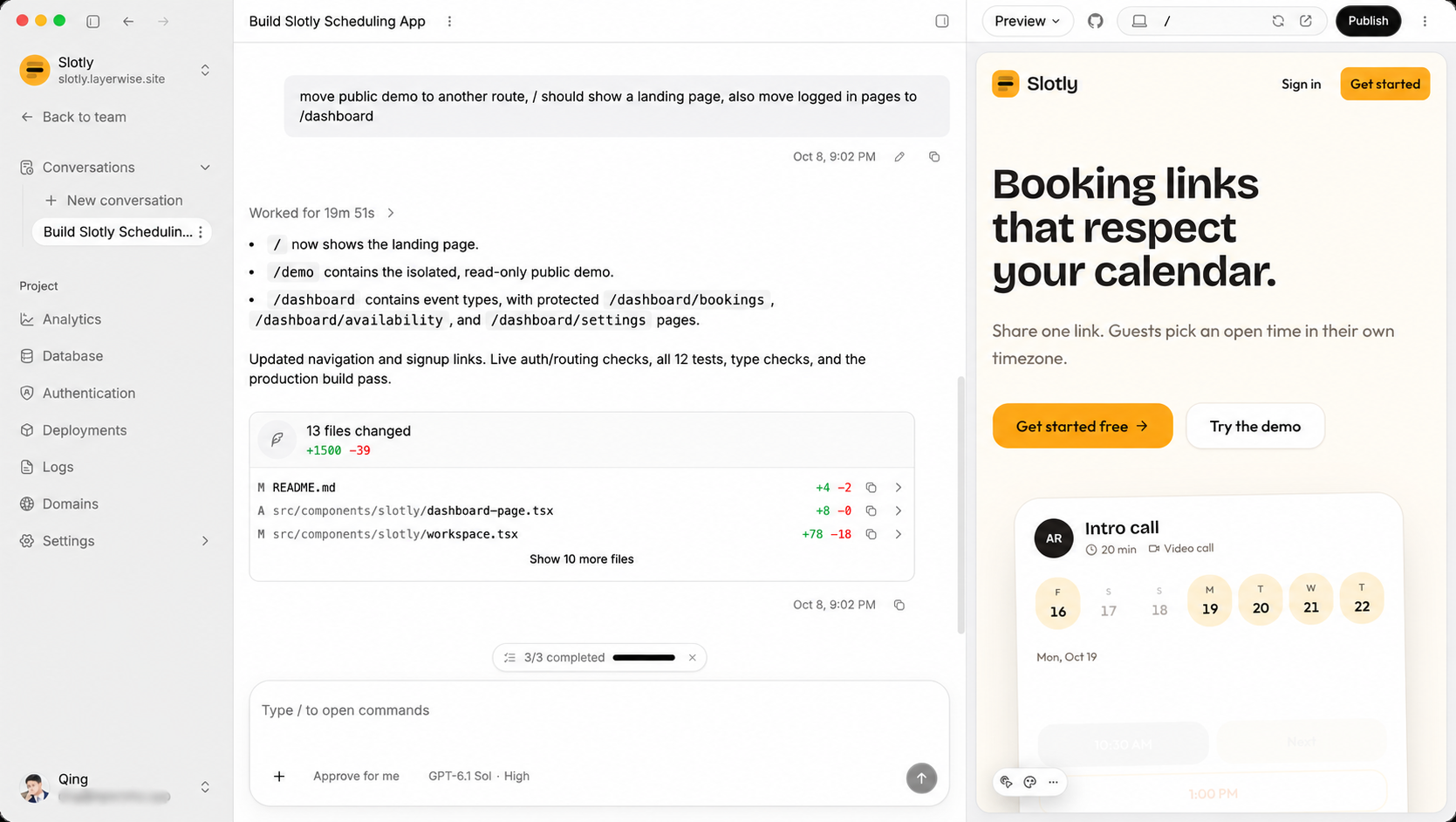
In Layerwise, you start with a conversation. Explain who the app is for and what they should be able to do. For a booking app, that might mean letting visitors choose a session, sign in, and receive a confirmation email.
The agent works on real files on your computer. A local development server runs the app beside the conversation, so you can try a form or check a page as the code changes. Ask for a different layout, test it, and use what you see to guide the next request.
I chose a desktop workspace because I want you to have direct access to your project. You can inspect the files in the built-in editor, open the same folder in your preferred editor or terminal, and connect GitHub.
Build with your ChatGPT or Claude plan
You can use Codex through an eligible ChatGPT plan or Claude Code through your Claude plan. Choose My Codex or My Claude in Layerwise. These conversations use your connected plan instead of Layerwise AI credits, while keeping the same project, preview, and publishing workflow.
Layerwise also offers a model picker with supported models from providers including Anthropic, OpenAI, and Google. Availability depends on your plan. Hosting and other app services use Layerwise credits, and your plan’s usage limits still apply.
Your app’s backend belongs with the project
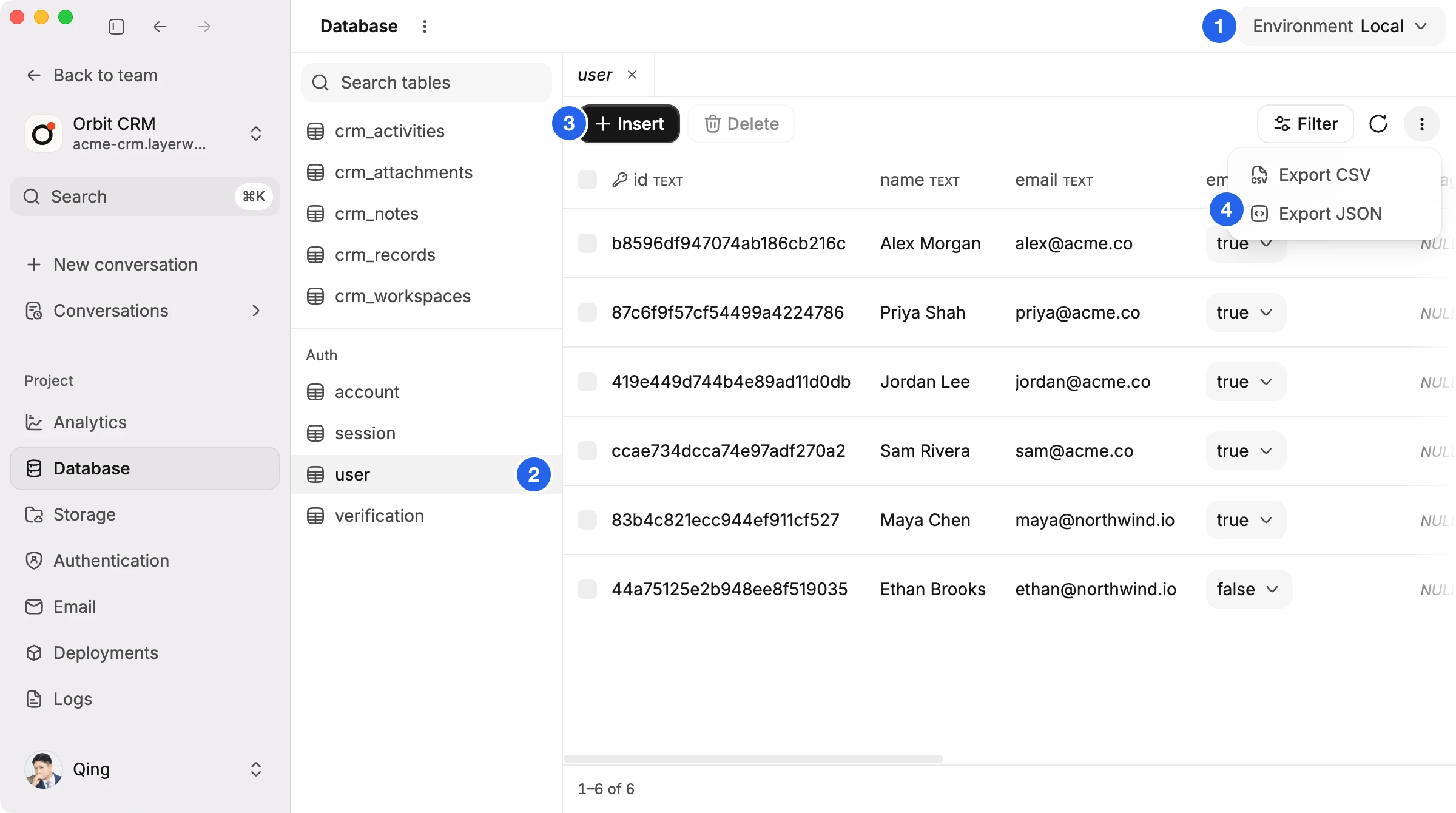
A working app needs somewhere to keep its data. Each Layerwise project has a database you can inspect from the workspace. Local development and production have separate databases, so you can experiment with sample records before people use the published app.
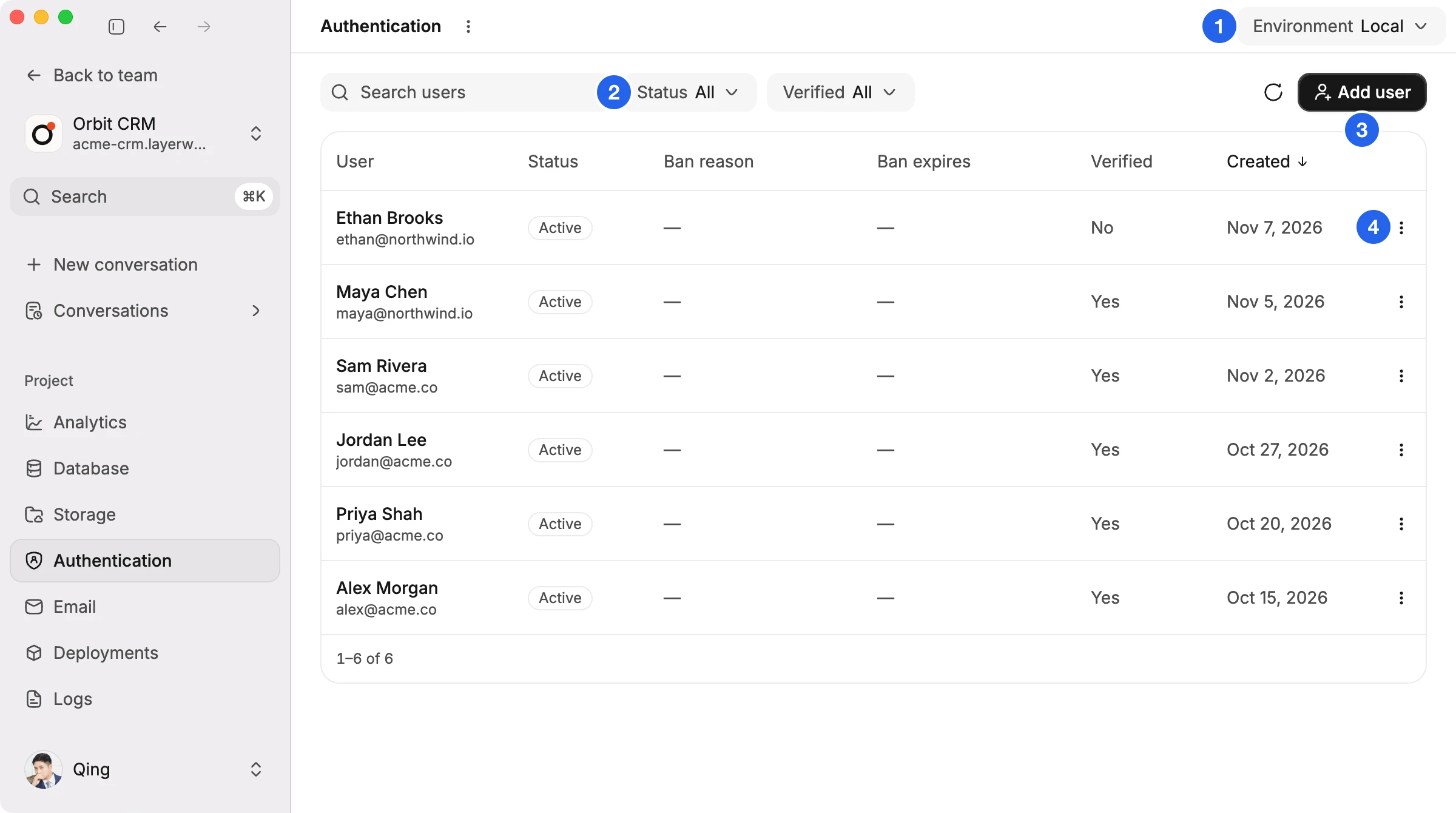
Sign-in is part of the project too. Layerwise includes email-based authentication, verification, and password reset emails. You can manage users from the app while you refine their experience.
File storage handles images, documents, and other uploads. Built-in transactional email lets your app send booking confirmations, receipts, or order updates. These services are attached to the project you are already building.
Publish from the same workspace
When you are ready to share, publish a release from Layerwise. Your app gets a live web address, and paid plans support custom domains. The code runs locally while you build; the published version is available on the web.
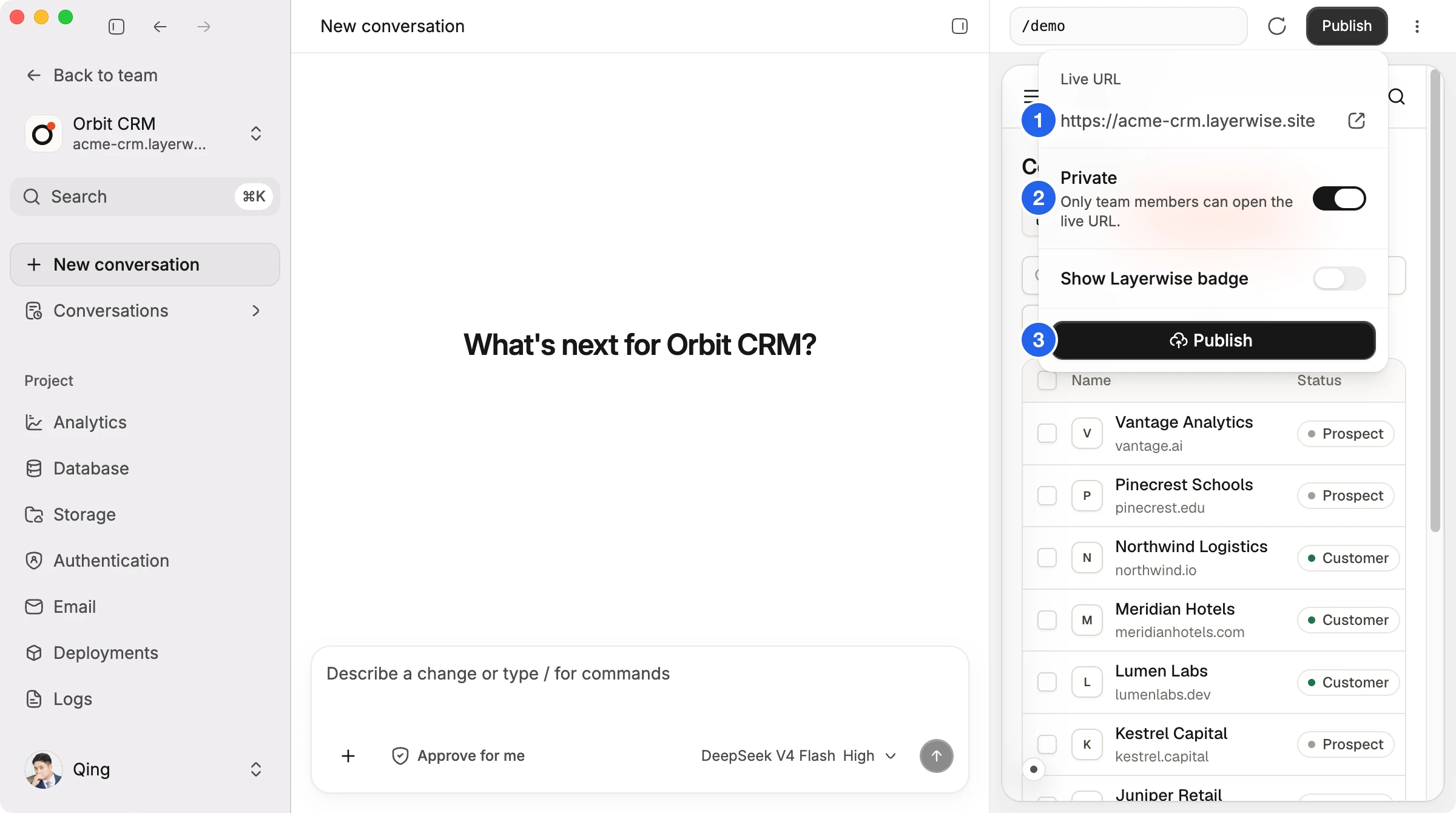
Before publishing, review the generated code and test the paths your users will depend on. For the booking app, I would check choosing a session, signing in, saving the booking, and receiving its email. Then I would try the same flow on a phone.
See what happens after launch
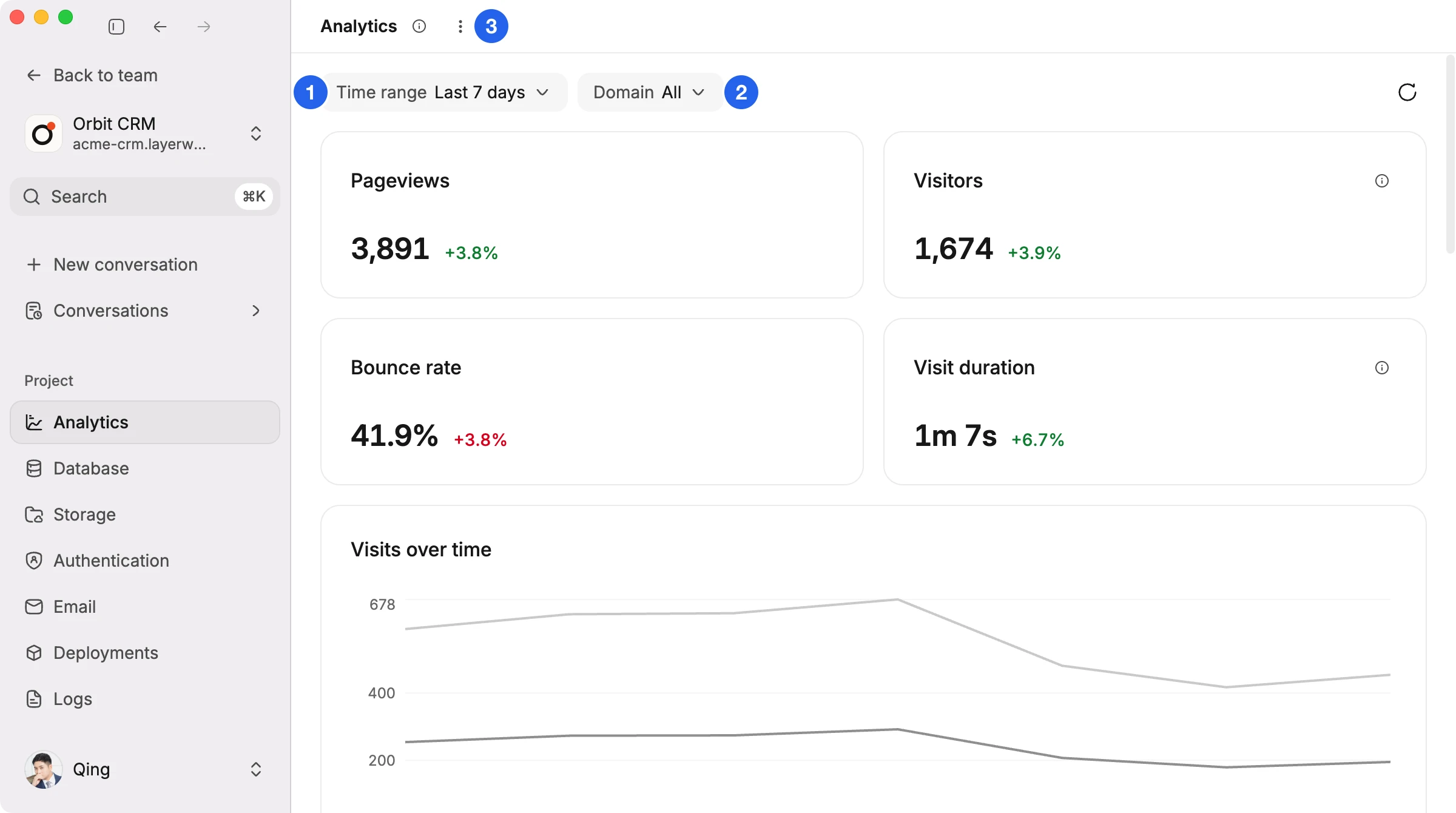
I want Layerwise to remain useful once your first version is live. Built-in analytics shows visits, popular pages, and traffic sources. You can see which parts of the app people are finding and using.
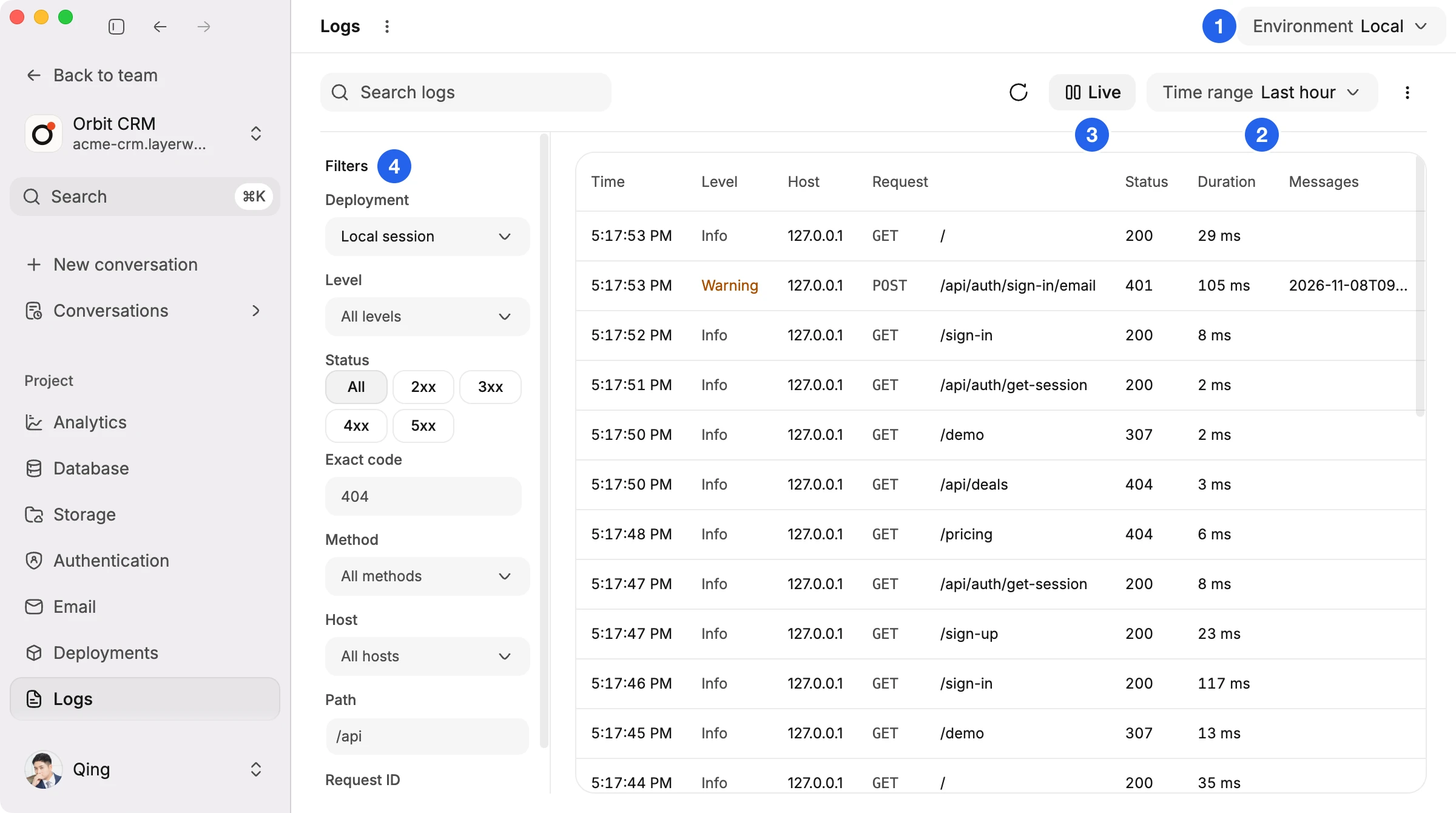
Server logs help you understand failures. You can inspect requests in local and published environments, follow logs live, and look at the messages behind an error. That gives you something concrete to bring back to the agent when asking for a fix.
An invitation to build something of your own
If you know me through Quotion, thank you for supporting my work. Quotion is where you can keep writing and publishing from Apple Notes. Layerwise is my invitation to take an app idea you have been keeping in a note and start making it real.
Start with one useful task: a booking page for your business, a dashboard for your team, or a small tool for your readers. Build a version you can try, then improve it from there.
You can download Layerwise and start your first project on the free plan. The Layerwise documentation walks through building, publishing, and managing your app. I’m looking forward to seeing what you make.